local-backend-execution
Backend Application Execution
Note: This configuration is for VS Code only.
-
Locate backend launch.json and rename it to just
launch.json. -
From VS Code
Run and Debug(keybind SHIFT+CMD+D for Mac) selectAutoBuild: Localand run the backend service in debug mode.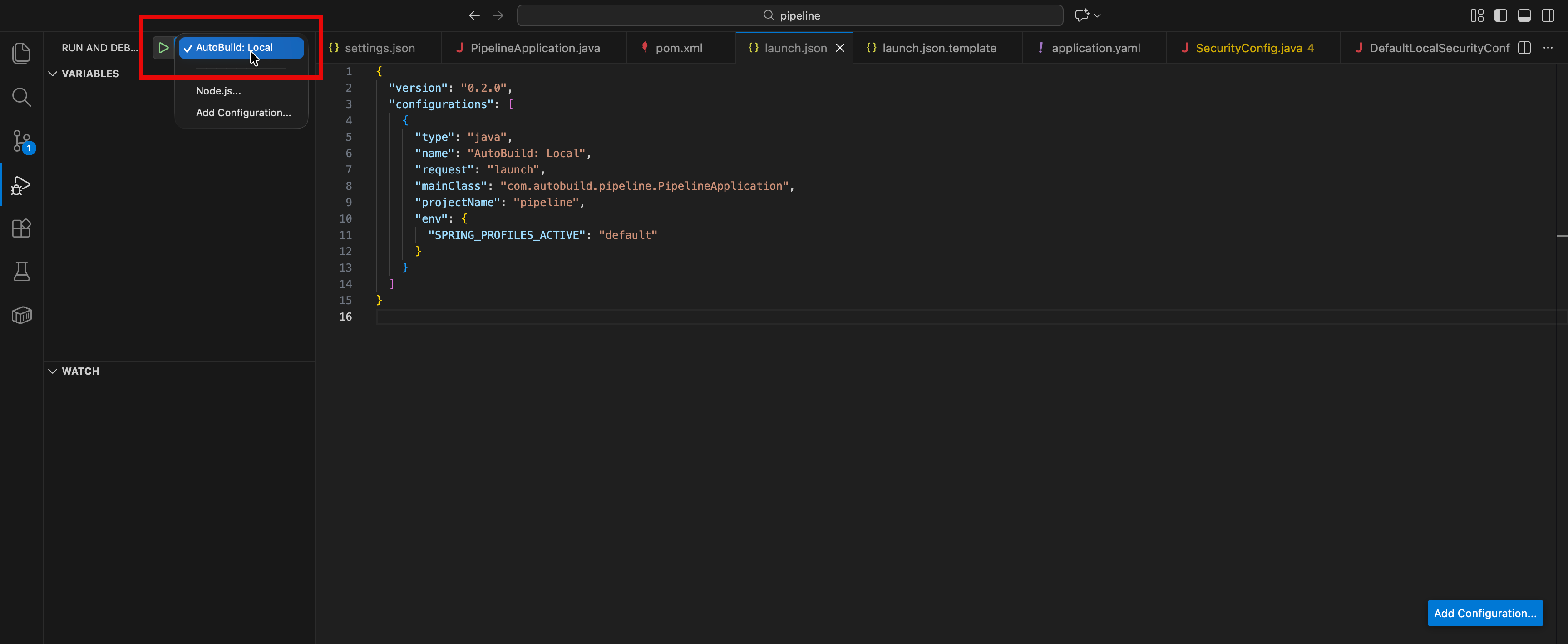 Ensure the application is running fine by hitting the endpoints through bruno.
-
[Optional] To generate Protobuf classes locally: From the
pipeline/directory, run:mvn compile -s maven-settings.xmlWithout-s maven-settings.xml, Maven falls back to repository mentioned at~/.m2/repository/settings.xmland might fail if it does not have the necessary dependencies. Mentioning it like that ensures the dependencies are pulled from open maven repository. (The files are generated at thegenerate-sourcesand writes the Java files into target/generated-sources/. Then compile picks them up alongside your hand-written code and compiles everything together.) -
Recommended VS Code extension for .proto files: Buf (
bufbuild.vscode-buf) — syntax highlighting and linting https://marketplace.visualstudio.com/items?itemName=bufbuild.vscode-buf -
To understand Protocol Buffers (the format used for DTO generation): Protocol Buffers Crash Course — https://youtu.be/46O73On0gyI